Skip to content
ep777q App / Live
LIVE LOBBY

ep777q — Slots, Live Tables and Sportsbook for Pakistan

Slot rooms from Habanero and Bigtime Gaming, live dealer tables, crash games and cricket-led sports markets are all in one lobby — deposit straight from JazzCash, Easypaisa or your debit card and your wallet is ready the moment your account is confirmed, where local law and eligible regions permit.

JazzCash Easypaisa Raast
Browse games
CONTENT / 01

Makran Coast Slots and Blackjack Glory — What the Lobby Carries

The casino section groups titles by category rather than a flat list, which makes it easier to find the type of game you are in the mood for rather than scrolling past dozens of unrelated titles.

  • Slot Rooms

    Slots from Joker, Habanero and Bigtime Gaming are grouped by theme and mechanic type. Makran Coast Slots and K2 Summit Slots are listed in the local section. Each game tile links to the paytable where spin values, bonus round conditions and prize symbol combinations are described. RTP is shown only where the studio provides it.

  • Live Tables

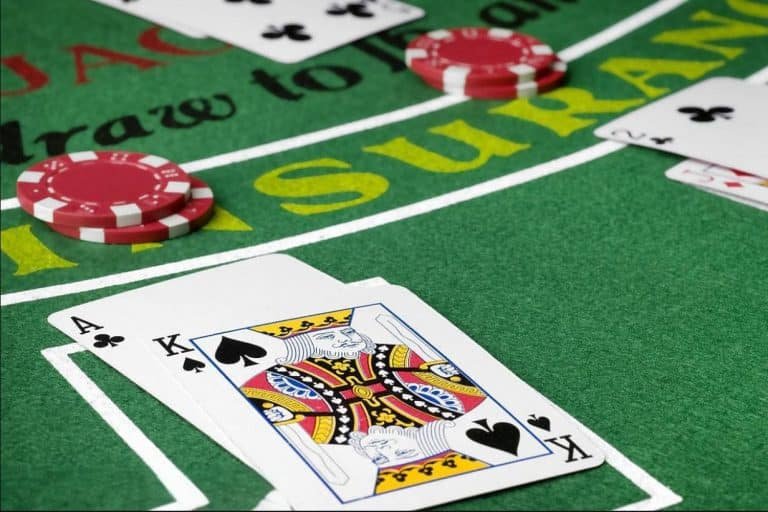
    Live dealer tables let you join a real-time session with a camera feed and chat. Blackjack Glory runs multi-deck rounds with visible card counts and the table rules posted at the start of each session. Bet sizes and side-bet availability depend on the table limits shown when you open the seat selection screen.

  • Crash Games

    Sialkot Speed Crash is in the crash game section — a multiplier rises from the start of each round and you lock in your exit before it ends. The game displays the current round multiplier and your active stake on screen. Previous round history is shown as a reference strip below the main display.

PLAY ON MOBILE

K2 Summit Slots and Sialkot Speed Crash on Your Phone

The lobby scales cleanly to any screen size, so whether you are on a mid-range Android or a newer device, the game tiles load without needing a separate download. K2 Summit Slots and Sialkot Speed Crash are designed around portrait swipe navigation — tap a category strip at the top to jump between slots, live tables and crash games in one mo

  • Swipe Navigation

    Category strips across the top of the lobby let you move between slots, live tables, crash games and sports in a single tap. No nested menus — the layout is built around thumb reach on portrait screens so the titles you come back to most are always within reach.

  • Wallet Always Visible

    Your account balance sits in the header throughout the lobby. Tap it to reach the deposit screen where JazzCash, Easypaisa and Debit Card are shown with their respective field prompts. You do not leave the mobile session to top up — the flow stays inside the same screen.

  • Session Continuity

    If you close the browser mid-game and return on the same device, your lobby state and wallet balance reload from the account rather than resetting. Log in once and the session follows the account, not the device tab — useful when switching between mobile data and Wi-Fi.

CONTENT / 03

K2 Summit Slots and Sialkot Speed Crash on Your Phone

The lobby scales cleanly to any screen size, so whether you are on a mid-range Android or a newer device, the game tiles load without needing a separate download. K2 Summit Slots and Sialkot Speed Crash are designed around portrait swipe navigation — tap a category strip at the top to jump between slots, live tables and crash games in one mo

  • Swipe Navigation

    Category strips across the top of the lobby let you move between slots, live tables, crash games and sports in a single tap. No nested menus — the layout is built around thumb reach on portrait screens so the titles you come back to most are always within reach.

  • Wallet Always Visible

    Your account balance sits in the header throughout the lobby. Tap it to reach the deposit screen where JazzCash, Easypaisa and Debit Card are shown with their respective field prompts. You do not leave the mobile session to top up — the flow stays inside the same screen.

  • Session Continuity

    If you close the browser mid-game and return on the same device, your lobby state and wallet balance reload from the account rather than resetting. Log in once and the session follows the account, not the device tab — useful when switching between mobile data and Wi-Fi.

ACCOUNT PATH

From Account Creation to First Game in Four Steps

Opening an account at ep777q follows a short, linear path — there are no paper forms and no visits. Step one: tap the account creation button and fill in the fields shown on the registration screen.

  1. Register

    Open the account page and complete the fields shown — contact details, a secure password and the country confirmation. The registration screen lists every required field; do not skip optional identity fields if your intended payment method requires them for wallet verification.

  2. Verify

    A confirmation is sent to the contact method you provided. Open it and follow the link or code shown. Verification activates your account and unlocks the deposit screen. If the message does not arrive, the account page has a resend option with a short waiting period between attempts.

  3. Deposit

    Select JazzCash, Easypaisa or Debit Card from the deposit screen. Each option shows its own field set, minimum amount and any limits that apply to your account tier. Follow the instructions on screen; the amount posts to your wallet once the payment provider confirms the transaction.

  4. Play

    Your wallet balance appears in the header once the deposit clears. Open the lobby and pick a category — slots, live tables, crash games or sports.

MEMBER DESK / 06

Offers, support and account controls

01

Game lobby

02

Support

LOCAL PAYMENTS

JazzCash, Easypaisa and Debit Card — All in Your Account Wallet

The payment screen inside your account shows every method configured for your region. JazzCash and Easypaisa are mobile wallet rails that Pakistan players already use for everyday transfers, so the deposit steps map onto the same flow you likely use for other payments.

  • JazzCash

    Select JazzCash from the deposit screen and enter the mobile wallet number and amount in the fields shown. The payment page displays the minimum deposit and any limits that apply to your account. Once confirmed on the JazzCash side, the balance posts to your ep777q wallet and the transaction appears in account history.

  • Easypaisa

    Easypaisa deposits follow the same pattern — choose it from the method list, fill in the amount and wallet fields, and confirm through your Easypaisa account. The limits and fee information shown on the deposit screen are specific to your account tier; check those figures before proceeding rather than assuming a fixed amount.

  • Debit Card

    Standard debit card entry — card number, expiry and the security code shown on your card. The payment page may request additional verification depending on your bank's settings. Deposits post to your wallet once the card authorisation clears. Withdrawal by debit card follows the card details already saved to your account.

  • Raast

    Raast bank transfer is available for accounts where local eligibility applies. Select it from the deposit method list to see the transfer reference and account details to use. Raast transactions follow the standard bank transfer timeline shown on the payment confirmation screen; check account history for the posted status.

JazzCash Pakistan payment context
Easypaisa Pakistan payment context
Raast Pakistan payment context
DISCOVER / 01

Choose your game

Full lobby
GAME NETWORK
Joker
Habanero
Bigtime Gaming
Microgaming
CONTENT / 04

ep777q lobby studios

The ep777q lobby carries content from Joker, Habanero, Bigtime Gaming, Microgaming. To check the studio, rules or features of one specific game, open that game card or the published information panel.

  • Joker

  • Habanero

  • Bigtime Gaming

  • Microgaming

TRUST / 03

Support for Wallet Queries, Game Mechanics and Account Access

When something is not working the way you expect — a deposit that has not posted, a game mechanic you want explained, or an account access issue — the support team is the fastest path to a resolution. Reach out through the live chat icon in the lobby footer or send a message through the contact form in your account settings.

  • Live Chat

    The live chat icon sits in the lobby footer and is available from any page once you are logged in. It connects you directly to the support queue. For payment questions, opening the chat from within your account history screen lets you share the transaction reference in the same window, which speeds up the query.

  • Contact Form

    The contact form is in account settings under the help section. Use it for non-urgent queries — account document submission, withdrawal questions or game-history requests. Fill in the subject field clearly so the query routes to the right team. You will receive a reply to the contact method registered on your account.

  • Account Help Centre

    The help centre inside your account dashboard covers common questions on deposits, withdrawals, account verification, game rules and session management. Check there first for standard wallet questions — the steps shown are specific to ep777q's current payment configuration, not generic instructions.

Learn more →
ACCOUNT DASHBOARD

What Is Active on Your Account — Check After Login

Any offer or gameplay status tied to your account is shown in the dashboard after you log in. The dashboard reflects the current state of your wallet, any conditions attached to it, and the game categories where activity counts.

  • Wallet Status

    Your wallet shows the current available balance alongside any conditional balance held separately. The breakdown is in account settings under wallet details. If a deposit has posted but the balance looks different from what you sent, the wallet detail screen shows the split and any applicable notes tied to that transaction.

  • gameplay History

    Past wallet credits, game prize payouts and account adjustments are listed in transaction history. Each entry shows the source, amount and the date it posted. For game-round prize amounts, the history entry links back to the session reference so you can match it to a specific round in Blackjack Glory or another title.

  • Active Conditions

    If your account has any active wallet conditions — for instance, game-category requirements before a withdrawal is available — these are shown in the dashboard with progress tracked in real time. The conditions panel lists the eligible game types and the current completion state. Contact support if anything in the conditions panel is unclear.

Login
CRICKET AND SPORTS

Football Betmaster and Cricket Markets in the Sportsbook

The sportsbook is accessible from the same login as the casino lobby — no separate account, no second wallet. Cricket is the category Pakistan players come to most, covering international fixtures and PSL matches where markets are available.

  • Cricket Markets

    International cricket and PSL fixtures appear in the sportsbook when markets are open for the match. The event page lists available bet types — match result, over totals and other markets shown at the time — alongside the odds at the point of placement. The current available matches are displayed in the sports section after login.

  • Football Betmaster

    Football Betmaster is in the sportsbook catalogue alongside the cricket markets. Open the sports section and select football to find it. The markets available for each match are shown on the event detail screen, where you can review bet types and enter your stake before confirming. Settlement posts to your wallet.

  • Bet Settlement

    Once a match settles, the outcome is applied to your wallet automatically. The transaction history entry shows the event name, the bet type placed, the result and the amount added. Unsettled bets are listed as pending in your account until the event resolves. Contact support from the transaction record if a settlement looks incorrect.

ACCOUNT SECURITY

Wallet Verification, Account Security and Access Controls

Keeping your account secure starts with the details you register — a strong, unique password and a contact method you actively monitor. The account settings screen has a password change option; use it if you believe your credentials have been shared or compromised.

  • Password Security

    Set a password that is not shared with other accounts. The account settings page has a change-password field accessible after login. If you forget your password, the login screen has a reset path that sends a code to your registered contact. Do not share your login details; support staff will never ask for your password during a query.

  • Wallet Verification

    JazzCash, Easypaisa and Debit Card each require the wallet or card details to match the account holder information. The verification fields are shown on the payment screen for each method. Unverified payment methods may be held pending a review; the account dashboard shows the current verification status for each saved method.

  • Login Confirmation

    Account login from a new device or after a session gap triggers a confirmation step sent to your registered contact. Complete that confirmation to proceed. If you receive a login confirmation you did not initiate, change your password immediately and contact support from a secure device using the form in account settings.

  • Regional Access

    Access to the ep777q platform depends on your location and whether use is permitted under the laws of your region. The account registration screen reflects current availability. If your region is not eligible, the account page will indicate that access is not available. Check the current state on the registration screen directly.

PLAYER INDEX / 07

How the Main Game Types and Features Work

Understanding the mechanics behind slot reels, live tables, crash games and sportsbook bets helps you make better decisions about which category to spend time in.

Player guide and glossary
  • What is a bonus round in a slot game?

    A bonus round is a secondary game feature that activates when specific symbol combinations land on the reels — the trigger condition is described in the game's paytable. During a bonus round the game may switch to a different reel layout, add multiplier symbols, or grant a fixed number of feature spins as defined by the studio.

  • How does a crash game multiplier work?

    In a crash game like Sialkot Speed Crash, a multiplier begins at 1x at the start of each round and rises until the round ends.

  • What is RTP and where do I find it?

    RTP stands for Return to Player — it is a percentage figure that describes the average share of total stakes returned as prizes over a large number of rounds, as published by the game studio. It is a long-run statistical measure, not a per-session prediction.

  • What is the difference between a live table and a regular slot?

    A slot runs on a random number generator and you play against the game software. A live table streams a real dealer running a physical game — cards or a roulette wheel — via camera, and you place bets that interact with a real-time outcome.

  • What does the paytable tell me?

    The paytable is the rules document inside each game. It shows which symbol combinations pay, the value attached to each, how many paylines are active, what triggers a bonus round or feature spin, and any special symbols like wilds or scatters and what they do.

  • What is a sports market and how does a cricket bet settle?

    A sports market is a defined outcome you can bet on within a fixture — for example, match result, top run-scorer or total overs. In the cricket section, each fixture page lists the markets open at that time alongside the odds displayed.

  • What is a wild symbol?

    A wild symbol substitutes for other standard symbols on the reels to help form a winning combination — the specific symbols it cannot substitute for are listed in the paytable. Some wilds are expanding (they grow to fill a reel), some are sticky (they stay in place for additional rounds during a feature), and some carry their own multiplier value.

  • What is a stake and how is it different from a prize?

    Your stake is the amount you choose to wager on a single spin, hand or round — you set it using the bet adjustment control in the game before starting.

LOBBY / 02

One mobile lobby, distinct game areas

Blackjack Glory Live Blackjack Glory Access → Slot Fusion Slots Slot Fusion Access → Football Betmaster Sports Football Betmaster Access → Sialkot Speed Crash Slots Sialkot Speed Crash Access → K2 Summit Slots Slots K2 Summit Slots Access → Makran Coast Slots Slots Makran Coast Slots Access →
EXPLORE FURTHER / 04

Explore detailed guides

Local lobby check

QUICK ANSWERS

Frequently asked questions

These are the questions that come up most often when setting up an account, making a first deposit or navigating between game types. If your question is not here, the support team is reachable via live chat from the lobby footer.

Read FAQ →
How do I open an account at ep777q?

Go to the account registration page, complete the fields shown — contact details, a secure password and the location confirmation — and submit. A verification message is sent to the contact method you provided. Open it and follow the confirmation step.

Which payment methods can I use to deposit?

JazzCash, Easypaisa, Debit Card and Raast bank transfer are the configured payment methods at ep777q. The deposit screen shows which options are active for your account. Each method has its own minimum amount, field prompts and any applicable notes listed on the payment page.

How do I withdraw money from my wallet?

Go to the withdrawal section in your account, select the payment method you want to use, enter the amount and confirm. The payment method must be verified on your account before a withdrawal can process — the verification status is shown in wallet settings.

Can I play on mobile without downloading an app?

Yes — the lobby runs in a mobile browser without requiring a separate download. Open ep777q in your mobile browser, log in and the full lobby including slots, live tables, crash games and sportsbook loads in the browser. The layout adjusts to your screen size. JazzCash and Easypaisa deposits are accessible from the payment chip row without leaving the mobile session.

Where do I find the games from Habanero and Bigtime Gaming?

Open the casino section of the lobby and use the studio filter in the category bar to select Habanero or Bigtime Gaming. This narrows the tile list to titles from that studio only.

What do I do if a deposit has not appeared in my wallet?

Check account history first — the transaction entry shows the current status of each payment attempt. If the status shows pending, the payment provider has not yet confirmed it on their side. If it shows failed, the payment did not complete and the funds were not deducted from your mobile wallet or card.

How do I find out if ep777q is available in my region?

Access to ep777q depends on local law and is available only where permitted in your region. The account registration page reflects current eligibility — if your region is not supported, the registration screen will indicate that access is not available at this time. The platform does not extend access outside permitted regions; no workaround changes the eligibility status.

How do I contact support if I have a problem with my account?

The live chat icon is in the lobby footer and connects to the support queue directly from your logged-in session. For non-urgent matters, use the contact form in account settings — describe the issue clearly and include any transaction references that are relevant.

READY WHEN YOU ARE

ep777q game lobby

Access may be available only where local law permits.

Register Login